Markdown nested lists: line up the child items
In a CommonMark-compatible viewer, place the child list marker beneath the start of the parent item’s text. That means two spaces for - , three for 1. , and four for 10. in the examples below.
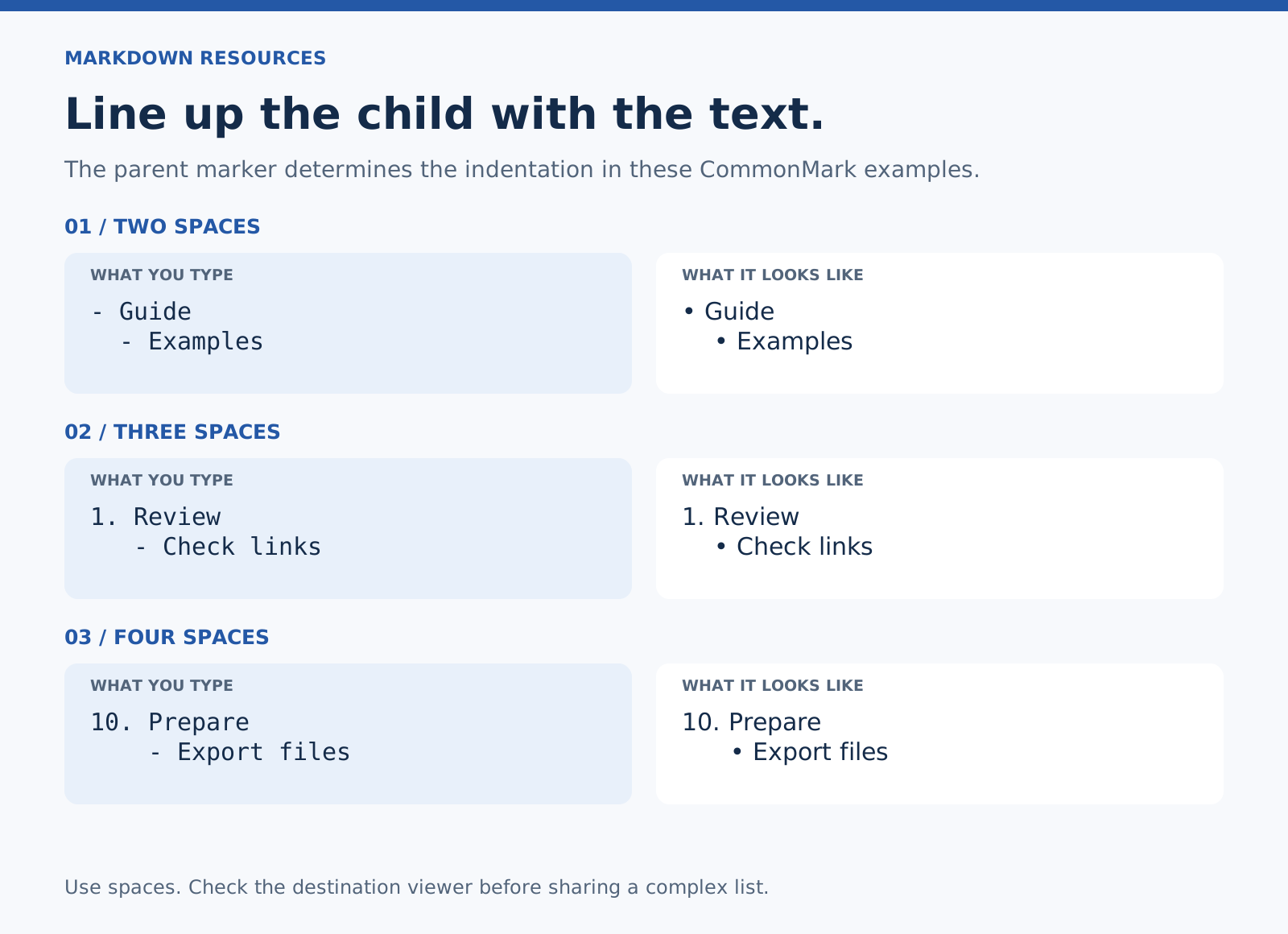
An editor may follow different conventions. Test in the destination viewer, especially if a list needs to travel between apps.
Example 1: a bulleted list inside a bulleted list
- Guide
  - Introduction
  - Examples
- Launch note
“Introduction” and “Examples” belong to “Guide.” “Launch note” stays at the top level.
Example 2: bullets beneath a numbered step
1. Review the draft.
   - Check the opening.
   - Follow the links.
2. Send the comments.
The child dashes have three spaces before them. They line up with the R in “Review.”
Example 3: a two-digit numbered parent
10. Prepare the final files.
    - Export the document.
    - Include the images.
11. Send the package.
Here the child dashes have four spaces before them, because 10. uses four character positions. “Always use two spaces” is not a complete rule.
Example 4: a second paragraph inside an item
- Review the examples.

  Check that each one explains a different case.

- Send the draft.
The second paragraph is indented beneath the first item’s text. Without that indentation, it can end the item instead of continuing it.
Example 5: nested checkboxes — GFM extension
- [ ] Prepare the guide
  - [x] Write the outline
  - [ ] Check the examples
A checkbox does not change the parent list marker’s indentation rule. Clickable task controls depend on the app; this does not create reminders.
Example 6: a flat list and the corrected version
Flat:
- Guide
- Introduction
- Examples
Nested:
- Guide
  - Introduction
  - Examples
Indentation describes the relationship. Blank lines alone don’t make one item a child of another.
Keep the nesting useful
Use a child list when the items belong to a specific parent. If the structure is becoming difficult to scan, turn the major sections into headings. Deep nesting can make a short note harder to read on a phone.
If the list won’t nest
Check for spaces before the child marker, a space after each marker, and a matching parent. Then compare the viewer’s list rules. Don’t add more indentation at random: enough indentation in the wrong place can create a code block.
GitHub’s formatting guide also illustrates aligning child markers beneath parent text.
Related: Markdown cheat sheet · Line breaks.